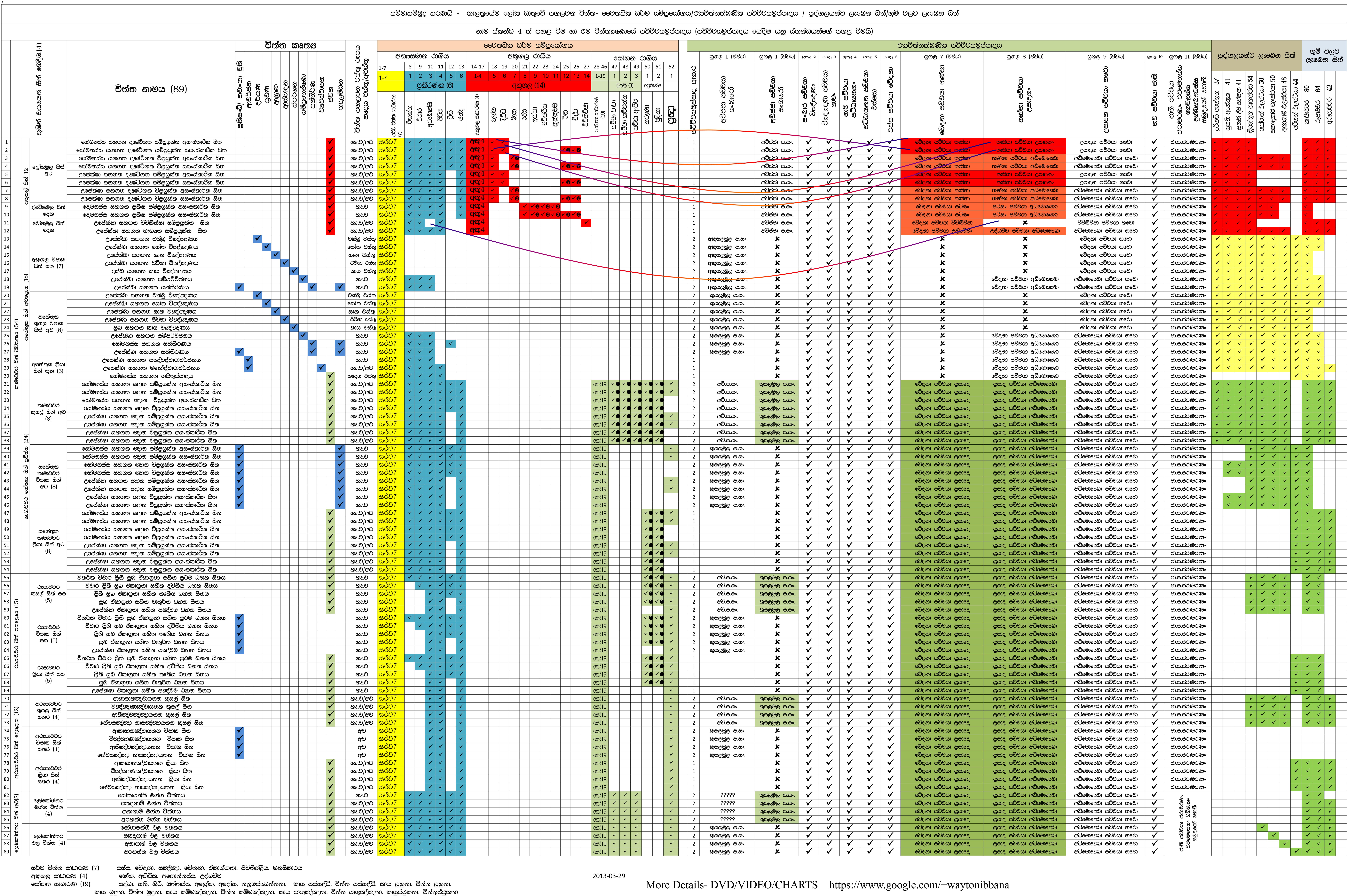
ගරු අජන්තා සම්පත් ගුරුතුමා විසින් සකස් කරන ලද
චිත්ත සහ චෛතසික චක්රය
Zoom Controls
10%
25%
50%
100%
200%
400%
Navigation & Canvas
Canvas: 1707×409px
Original: 9600×6387px
pixels
pixels
Scroll X:
0px
Scroll Y:
0px
Zoom:
Fit to Width
Position:
0, 0
Display Size:
Loading...
Viewport:
Calculating...
Navigation Guide
Mouse & Touch Controls
- Drag to Pan: Click and drag anywhere on the image
- Zoom with Scroll: Hold Ctrl/Cmd and scroll
- Scrollbars: Use horizontal/vertical scrollbars
- Double Click: Zoom in at cursor position
Canvas Settings
- Canvas Height: Adjust to 600-1200 pixels
- Auto Fit: Image fits canvas width initially
- Large Display: Canvas is 70% of viewport height
- Responsive: Adapts to screen size
Keyboard Shortcuts
- Arrow Keys: Navigate in all directions
- Ctrl/Cmd + Plus: Zoom in
- Ctrl/Cmd + Minus: Zoom out
- Ctrl/Cmd + 0: Reset to fit width
- Space: Center image
- Home: Scroll to top-left